A nutrition app that syncs with Apple Health
No wearable account to link: allow Sweatmeal to read your energy and workouts from Apple Health and it builds today's calories and macros from what your day actually burned.
What Sweatmeal reads from Apple Health
- Active energy
- The calories burned through movement and training, summed for the day.
- Resting energy
- The calories your body burns at rest, summed for the day. With active energy it gives the day's total burn.
- Workouts
- Each session with its type, start and end time and active calories. These decide whether today counts as a hard day or a rest day.
Nothing else is requested: no steps, sleep or heart data. Access is read-only, and Apple Health stays on your phone until Sweatmeal reads the day's totals.
How it becomes today's target
Apple Health works on-device. Sweatmeal reads the day's energy and workouts when you open the app and uses them as the day's burn, so the target follows what you did rather than a fixed activity guess.
Your goal sets a daily deficit or surplus, then training cycles it: smaller on hard days, bigger on rest days. Carbs are what is left after protein and fat.
Apple Health has no recovery score, so it does not adjust for recovery. If you also connect a wearable such as Whoop or Oura, that wearable takes priority for the burn and adds recovery.
The full logic is on the methodology page: your goal sets a deficit or surplus, the day's training shapes it, and the target never drops below your resting metabolic rate.
Connect Apple Health
-
Open Sweatmeal and go to your profile.
-
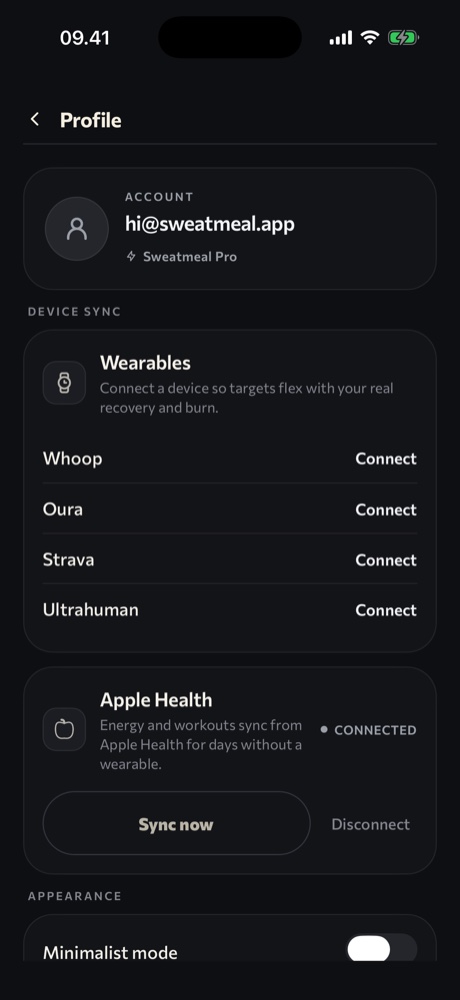
Find Apple Health in the Device sync area and tap Continue.
-
In the Health permission sheet, allow Sweatmeal to read active energy, resting energy and workouts.
-
Sweatmeal reads today's data and keeps it current when you open the app. Tap Sync now to refresh.
Apple Health is available on iPhone.